Best Practices for General Assistant Queries
The General Assistant produces better results when requests are clear, focused, and well structured. This article outlines practical best practices that help improve accuracy, relevance, and consistency across common tasks. These guidelines apply to content creation, research, image generation, and working with files.
Written By Kristė Vagnerytė
Last updated 8 months ago
Focus on One Task per Chat
Each chat includes the full conversation history. Mixing unrelated tasks in a single chat can lead to:
Confusing or incomplete answers
Reduced relevance
Slower responses
Best practice:
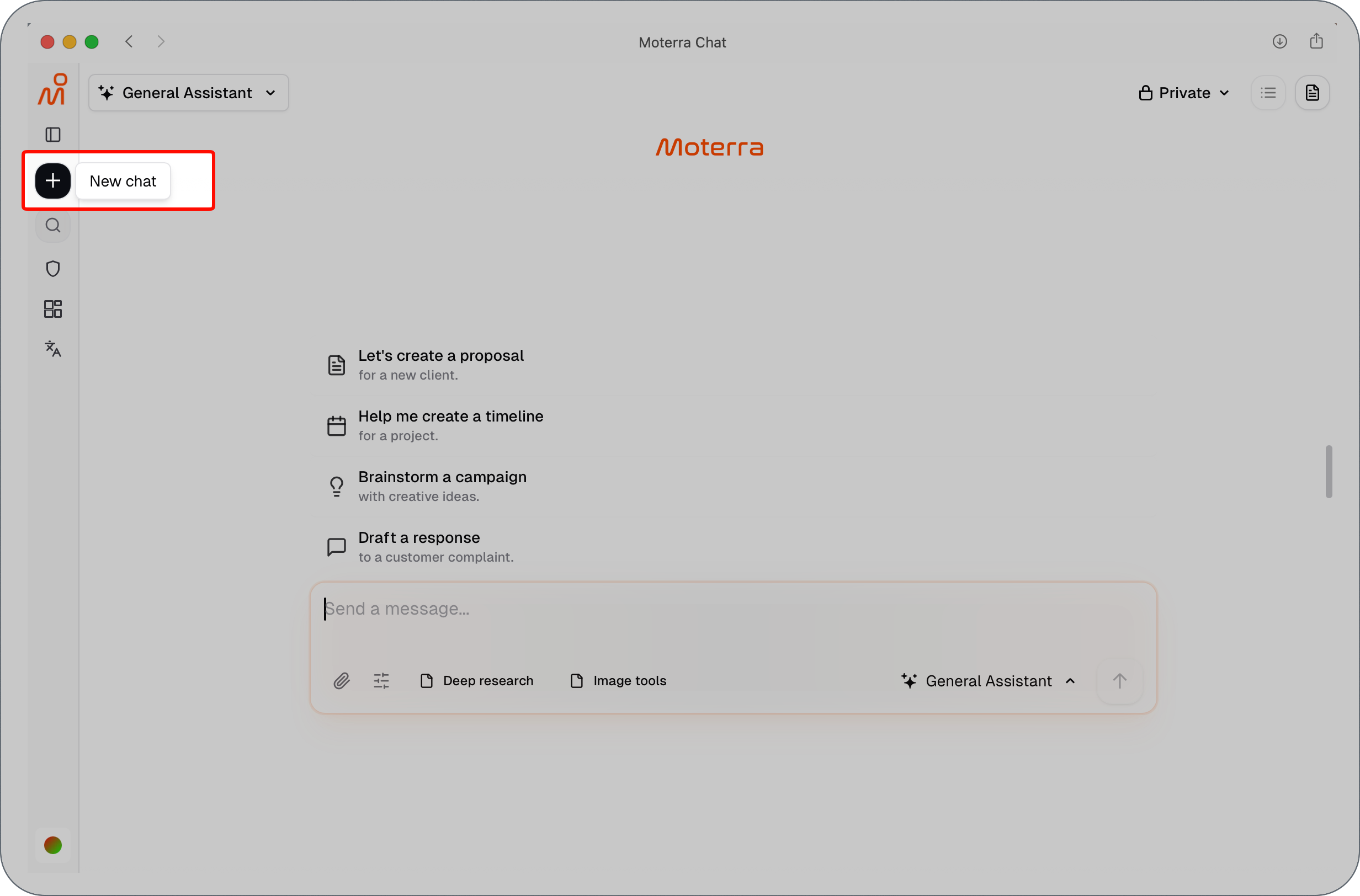
Start a new chat whenever you switch to a different task or topic.
Provide Context Upfront
Including basic context in your request helps the assistant understand your intent.
Whenever possible, specify:
The goal of the task
The audience
The type of output you expect
Clear context reduces the need for clarification or rework.
Example
Less effective:
"Write something about our Q2 results."
More effective:
"Write a 2-paragraph executive summary of our Q2 results for the board meeting. Focus on revenue growth and key wins. The audience is C-level executives."
Be Specific About the Output
If you have expectations around format or length, include them directly in your request.
You can specify:
Length (short summary, detailed document)
Structure (headings, bullet points, table)
Tone (professional, neutral, informative)
This helps the assistant tailor the response more precisely.
Example
Less effective:
"Summarize this sales report."
More effective:
"Summarize this sales report in 3–5 bullet points. Use a professional tone and focus on actionable insights for the sales team."
Use Clear and Direct Language
Simple, direct requests work best.
Avoid:
Long, unstructured prompts
Combining multiple instructions in one sentence
Vague requests such as “make it better” without explanation
Clear instructions lead to clearer results.
Example
Less effective:
"Make this better and also add some stuff about pricing and maybe reorganize it and make it sound more professional but keep it short."
More effective:
"Rewrite this proposal in a professional tone. Add a pricing section with three tiers. Keep the total length under 500 words."
Use Files Intentionally
When working with uploaded files:
Upload only files that are relevant to the task
Clearly state what you want to do with the file
Ask focused questions about specific sections or data
If you no longer need the file, start a new chat before moving to another task.
Example
Less effective:
"What do you think about this?" [uploads 3 unrelated files]
More effective:
"Analyze the attached file. Create a summary of total revenue by region and identify the top 3 performing products."
Or for document review:
"Review the contract.pdf file. Extract all payment terms and deadlines, and present them in a table format."
For multi-file tasks:
"Compare the budget figures in 2024_Budget.xlsx with the actuals in 2024_Actuals.xlsx. Highlight any variances greater than 10%."
Use Deep Research When Appropriate
Deep Research is best suited for complex or broad topics that require more detailed analysis.
Use it when:
You need deeper insight
You want to explore multiple perspectives
A high-level overview is not sufficient
For quick or narrow questions, standard research is usually faster and more effective.
Jump to Previous Answers
In longer chats, finding earlier assistant responses can be difficult.
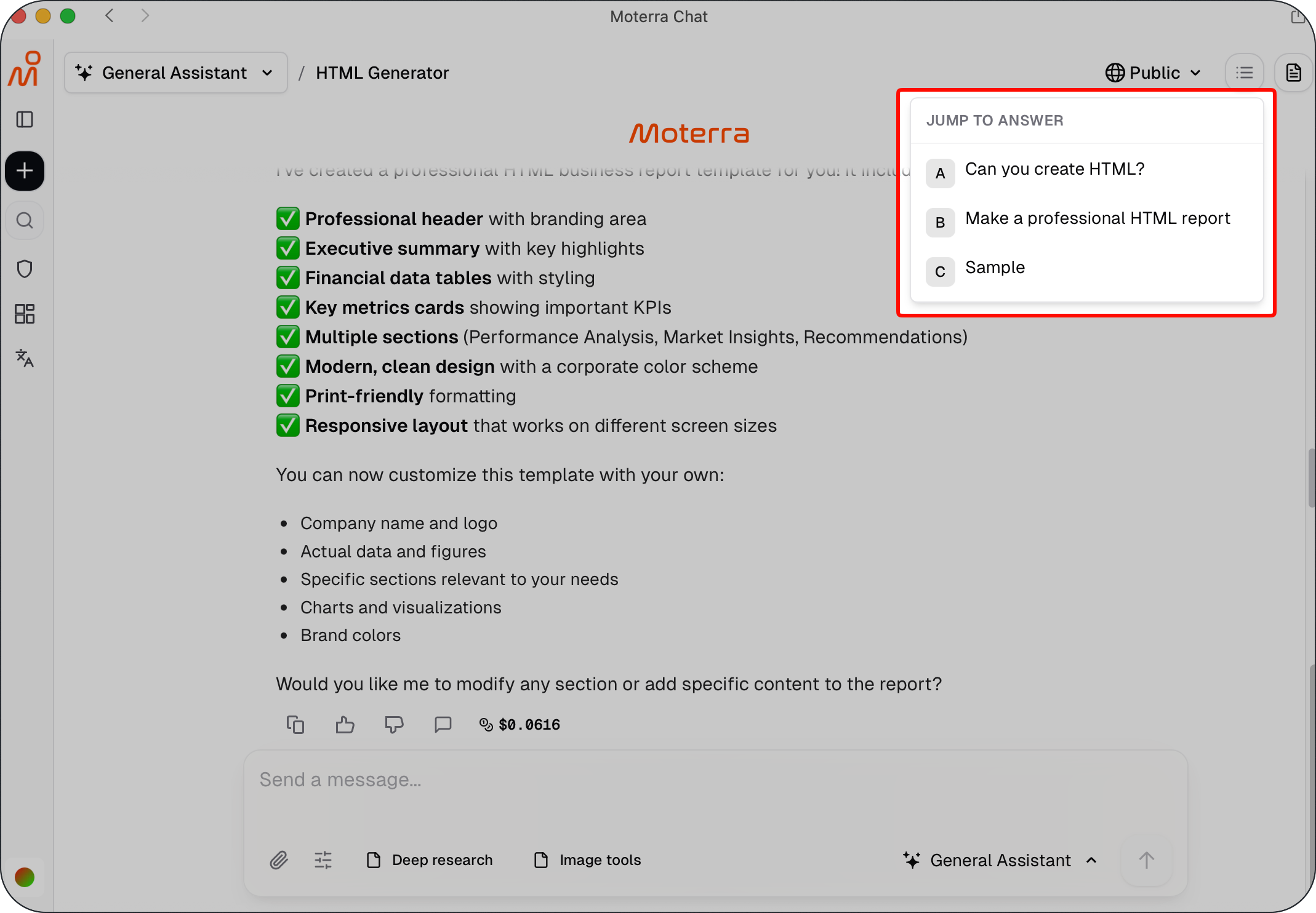
The Jump to answers feature lets you quickly navigate to previous assistant answers without scrolling through the entire conversation. It automatically detects assistant responses and allows you to jump directly to them.
This is especially useful when reviewing earlier results, documents, or analyses in longer chats.
💡 Pro Tip:
Use Jump to answers to quickly return to earlier assistant responses when working in long conversations.
Refine Results Incrementally
If the first result is close but not exact:
Ask for small adjustments
Clarify a specific section
Request a different structure or focus
Incremental refinement often produces better results than rewriting the entire request.
Common Mistakes to Avoid
Leaving out the goal or audience
Mixing multiple tasks in one request
Expecting company-specific knowledge without providing it
Using very short prompts with little context
Avoiding these issues leads to more consistent and useful output.
What to Read Next
Was this helpful?
Still need help? Ask the team