Creating Content with the General Assistant
The General Assistant helps you create written content quickly and consistently. It is best suited for tasks where you need to produce new text based on your instructions. This article explains what types of content you can create and how to write effective requests.
Written By Kristė Vagnerytė
Last updated 9 months ago
What You Can Create
You can use the General Assistant to create:
Emails and internal announcements
Documents and written reports
Social media posts
Presentation content and outlines
Summaries or rewrites of existing text
The quality of the output depends on how clearly you describe your goal and context.
How to Write an Effective Request
When creating content, include the following information in your request:
What you want to create
Who the content is for
Purpose of the content
Tone (for example: professional, neutral, informative)
Length or format, if relevant
Providing this context upfront reduces the need for revisions.
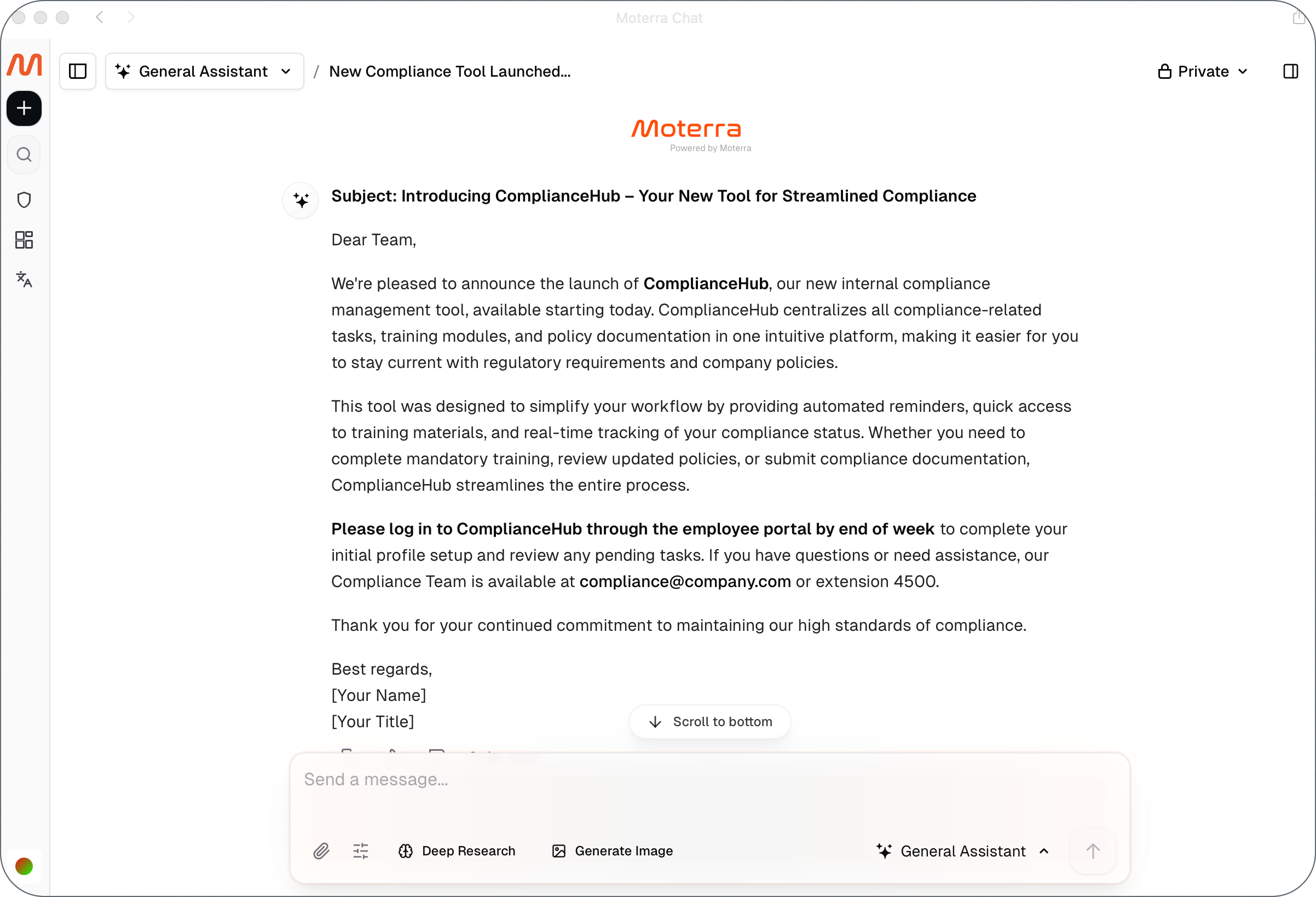
Example: Creating an Internal Announcement
Example request:
Write a professional email announcing the launch of a new internal compliance tool.
The audience is company employees.
Keep the tone clear and professional, and limit the email to 2–3 short paragraphs.
Include a short call to action encouraging employees to start using the tool.
Result:
The assistant generates a structured email that can be reviewed, copied, or exported.
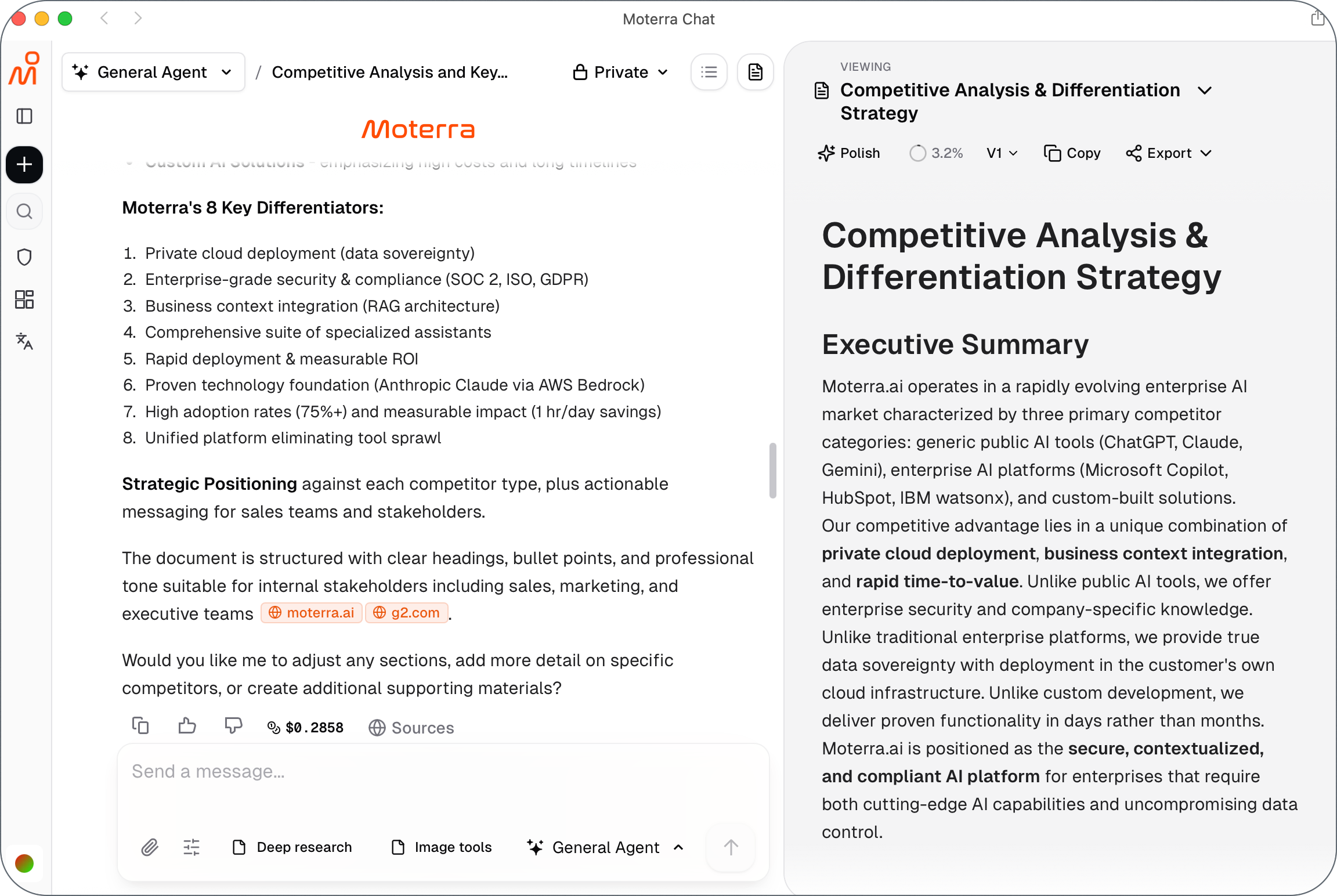
Example: Creating a Document Draft
Example request:
Research our main competitors in the market.
Write a short internal document outlining our key strengths and how we differentiate from competitors.
The audience is internal stakeholders.
Use a clear, professional tone and structure the content with headings and bullet points.
This approach produces a usable first draft that you can refine if needed.
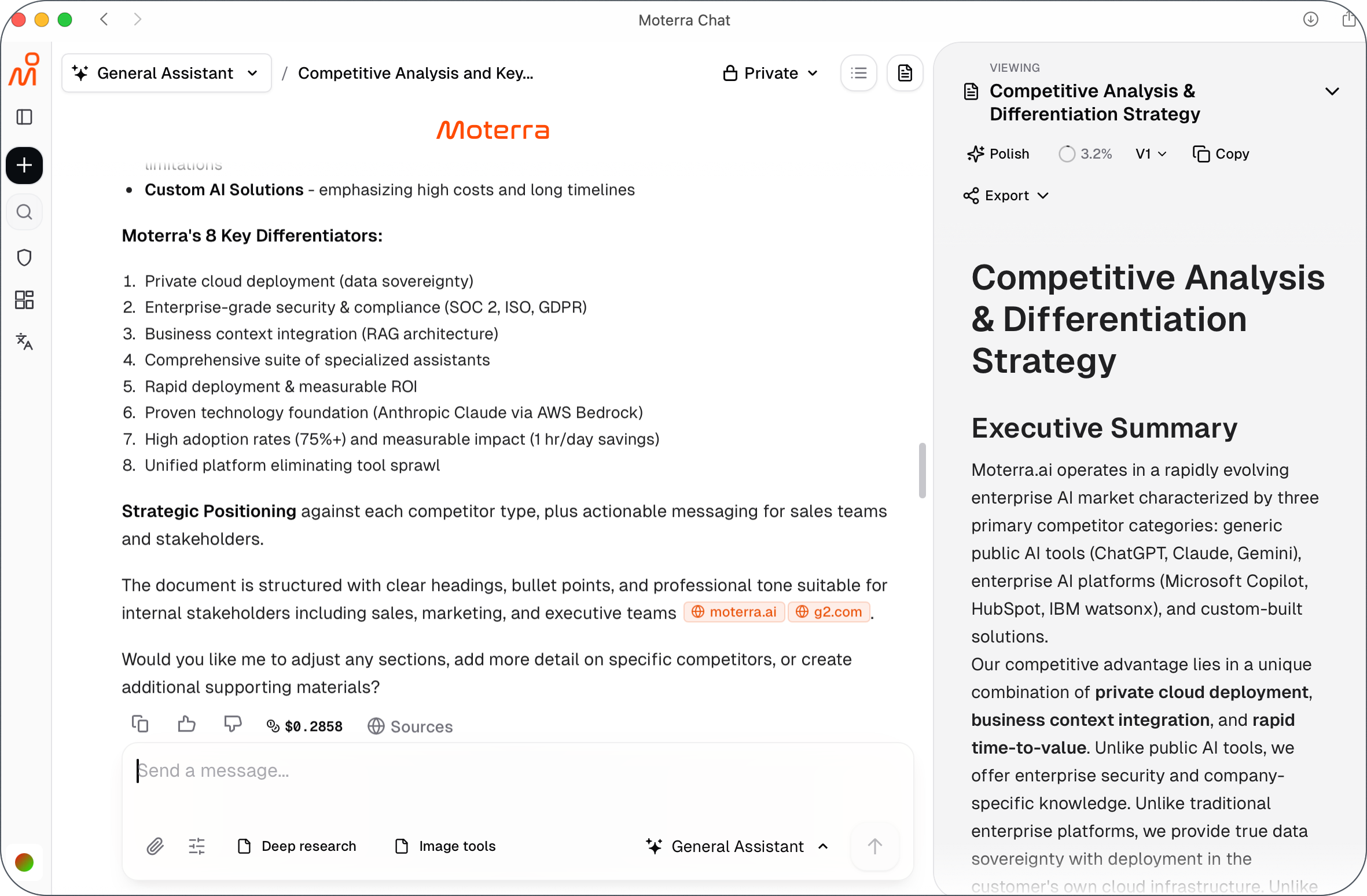
Using Generated Documents
Some content created by the General Assistant may appear as a separate document on the right side of the screen.
This usually happens when you ask the assistant to create a document or explicitly create an artifact, for example when generating longer or more structured content.
Generated documents make it easier to review, copy, and reuse content.
From a generated document, you can:
Copy formatted text (headings, lists, tables)
Export the content for further use
Generated documents are especially useful for emails, reports, and structured summaries.
Improving the Output
If the result is not exactly what you need, you can:
Ask for a shorter or more detailed version
Request a different tone or structure
Ask the assistant to rewrite specific sections
Small adjustments are often enough to reach the desired outcome.
Common Mistakes to Avoid
Writing very short or vague requests
Mixing multiple tasks in a single prompt
Omitting the audience or purpose
Expecting company-specific information without providing it
Keeping requests focused leads to better results.
What to Read Next
Was this helpful?
Still need help? Ask the team