Reporting Bugs in Moterra
Bug Reports help us identify and fix issues when something in Moterra is not working as expected. Submitting a clear bug report allows our team to investigate problems faster and improve reliability.
Written By Kristė Vagnerytė
Last updated 8 months ago
When to Report a Bug
Report a bug when:
The assistant gives incorrect, incomplete, or unexpected results
A feature does not work as expected
You encounter an error or technical issue
The response does not follow your instructions
If you want to suggest an improvement or a new idea, use Feature Requests instead.
How to Report a Bug
You can report a bug in two ways.
Option 1: From the Chat Interface
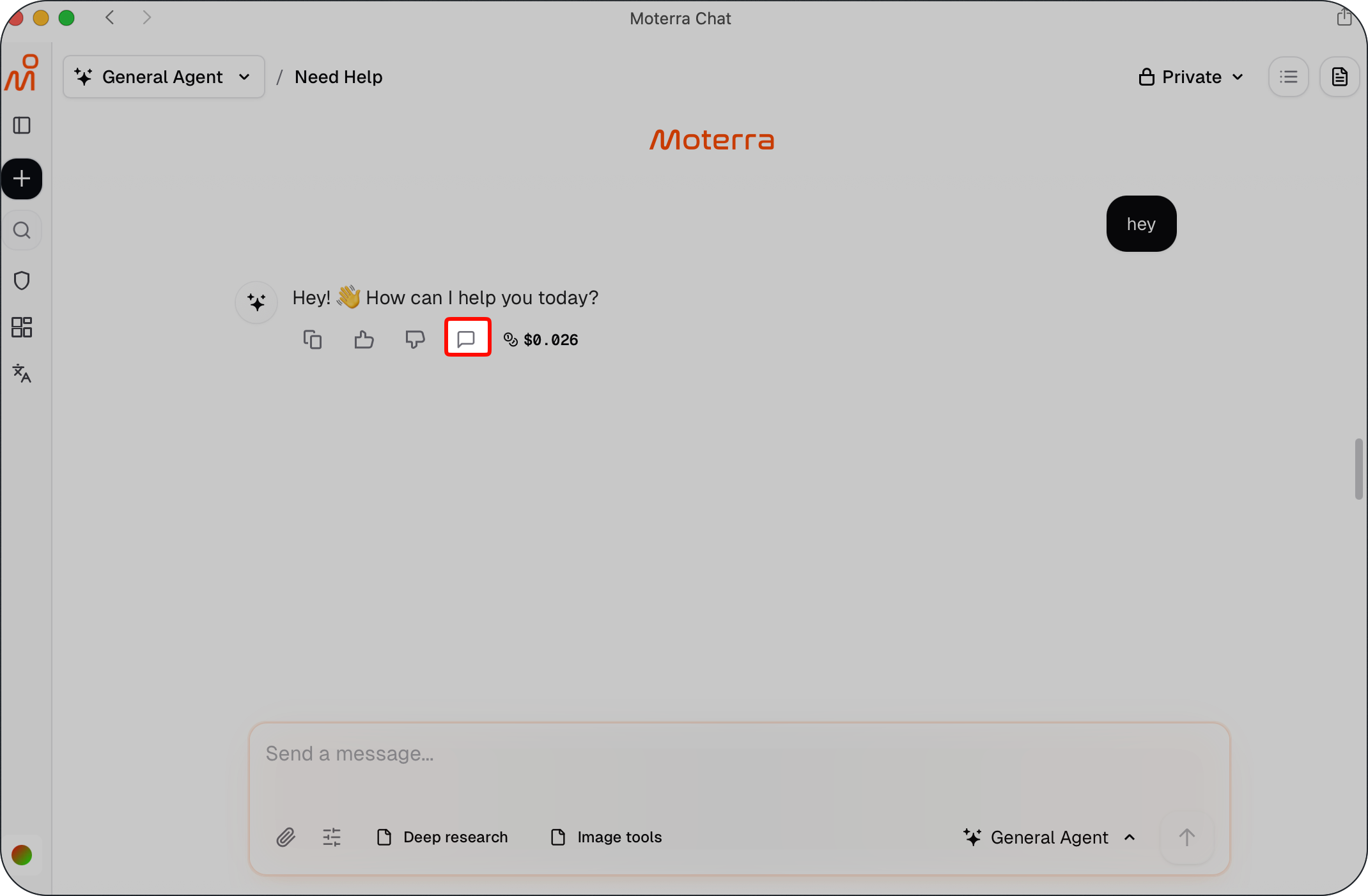
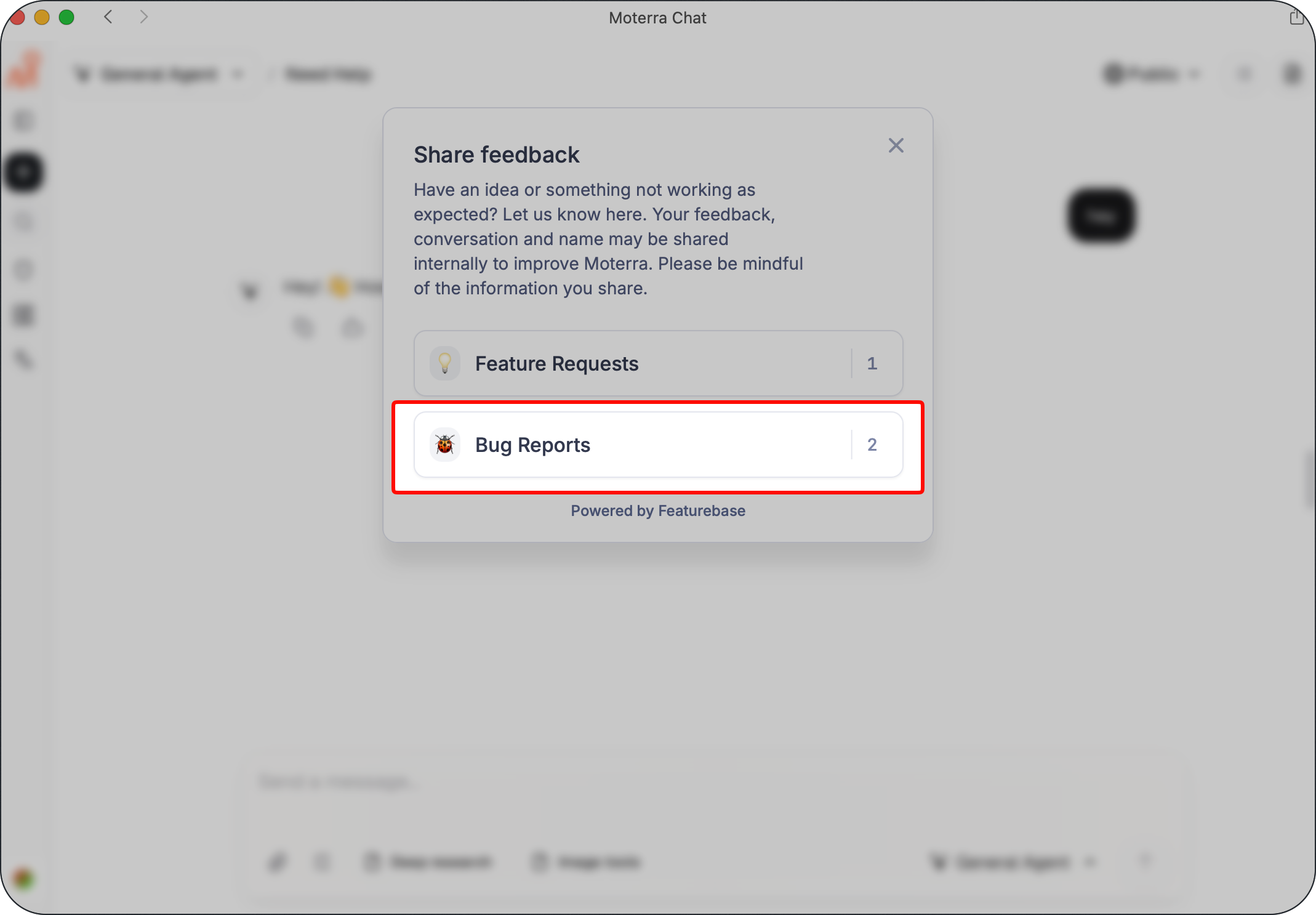
Click the Send Feedback button directly in the chat and select Bug Reports.
This option includes the related conversation, which helps our team understand what went wrong.
Option 2: From the Feedback Portal
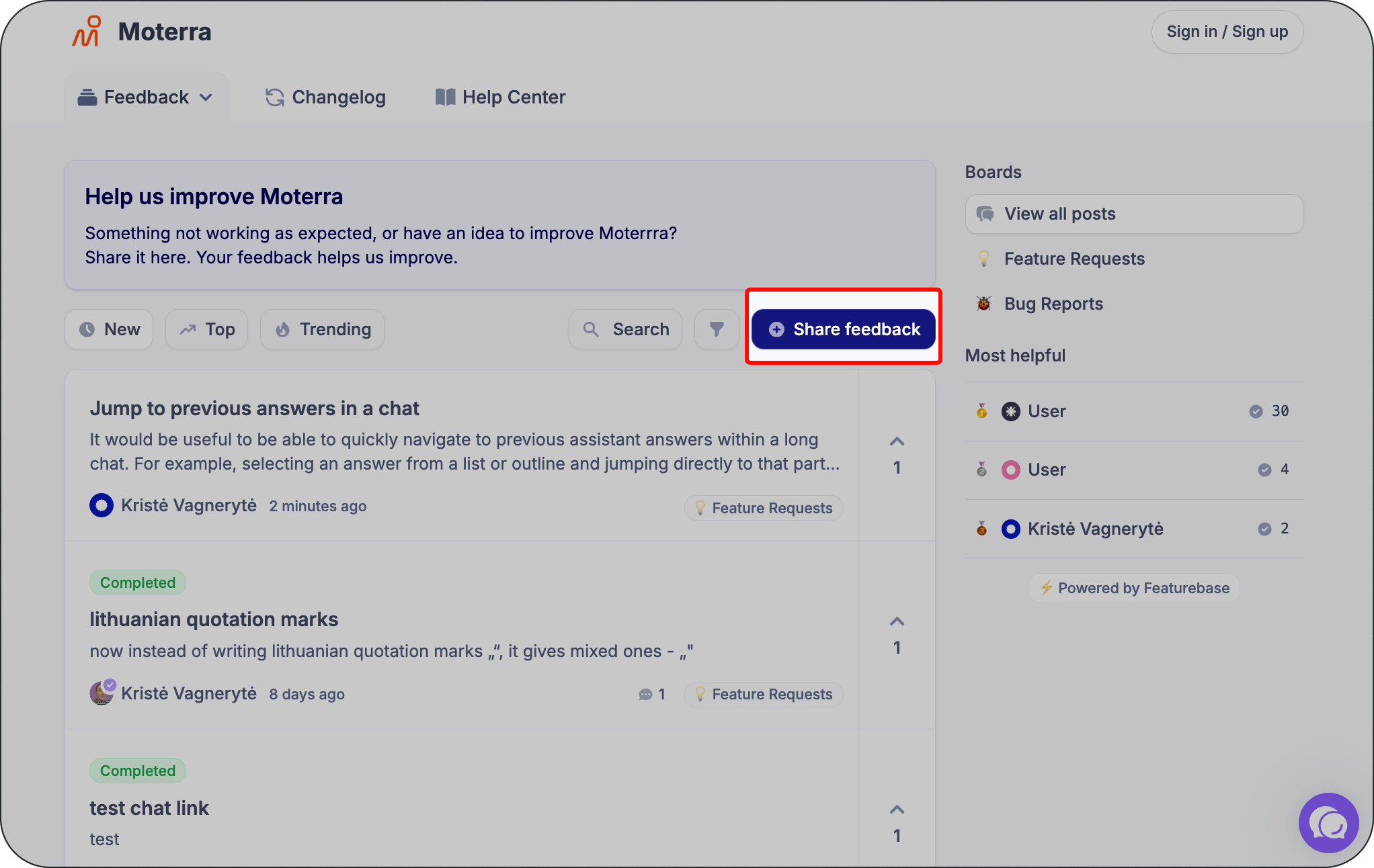
Go to https://feedback.moterra.ai/en and select Share Feedback.
Use this option if the issue is not tied to a specific chat or if you want to browse existing bug reports.
Describing the Issue
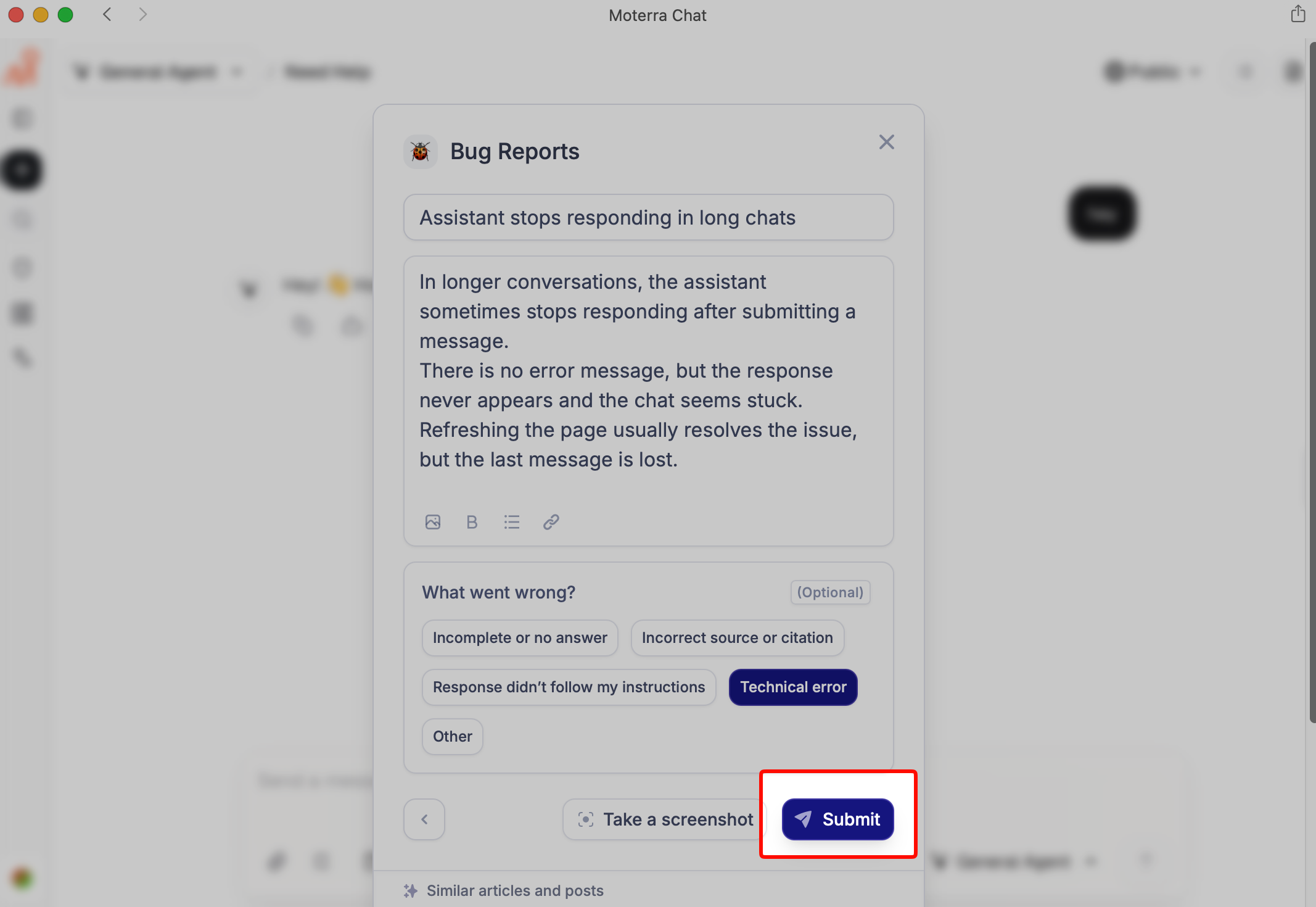
When reporting a bug, try to include:
What you were trying to do
What you expected to happen
What actually happened
Any error messages you saw
Clear descriptions help us reproduce and diagnose the issue more efficiently.
Using Bug Categories
When submitting a bug report, you can select one or more categories, such as:
Incomplete or no answer
Incorrect source or citation
Response didn’t follow instructions
Technical error
Other
Choosing the right category helps us route the issue correctly.
Adding Screenshots or Files
💡 Pro Tip:
You can take a screenshot directly from the feedback widget or attach files to help illustrate the issue.
Screenshots and attachments provide valuable context and often speed up investigation.
What Information Is Shared
When you submit a bug report, the following information may be shared internally with the Moterra team:
Your bug report
Your name
The related chat conversation (if submitted from the chat interface)
Please avoid sharing sensitive or confidential information.
After You Submit a Bug Report
After submission:
Your report becomes visible on the feedback board (only the bug and your name)
It is reviewed internally by the Moterra team
It may be used to identify fixes or improvements
When we resolve the issue or need additional information, we may contact you to follow up.
What to Read Next
Was this helpful?
Still need help? Ask the team