Your First Task with Moterra
This guide walks you through your first task in Moterra using one of the AI assistants. Completing a first task helps you understand how Moterra works and what to expect from the AI.
Written By Kristė Vagnerytė
Last updated 8 months ago
Step 1: Choose Your Assistant
Before you start, decide which assistant fits your task:
Use the General Assistant to create new content or work with publicly available information.
Use the Internal Knowledge Assistant to find information in your company’s internal documents.
Step 2: Start Your First Task
You can begin in two ways:
Click one of the suggested prompts, or
Type your request directly into the chat input.
Providing clear context in your request helps the assistant generate better results.
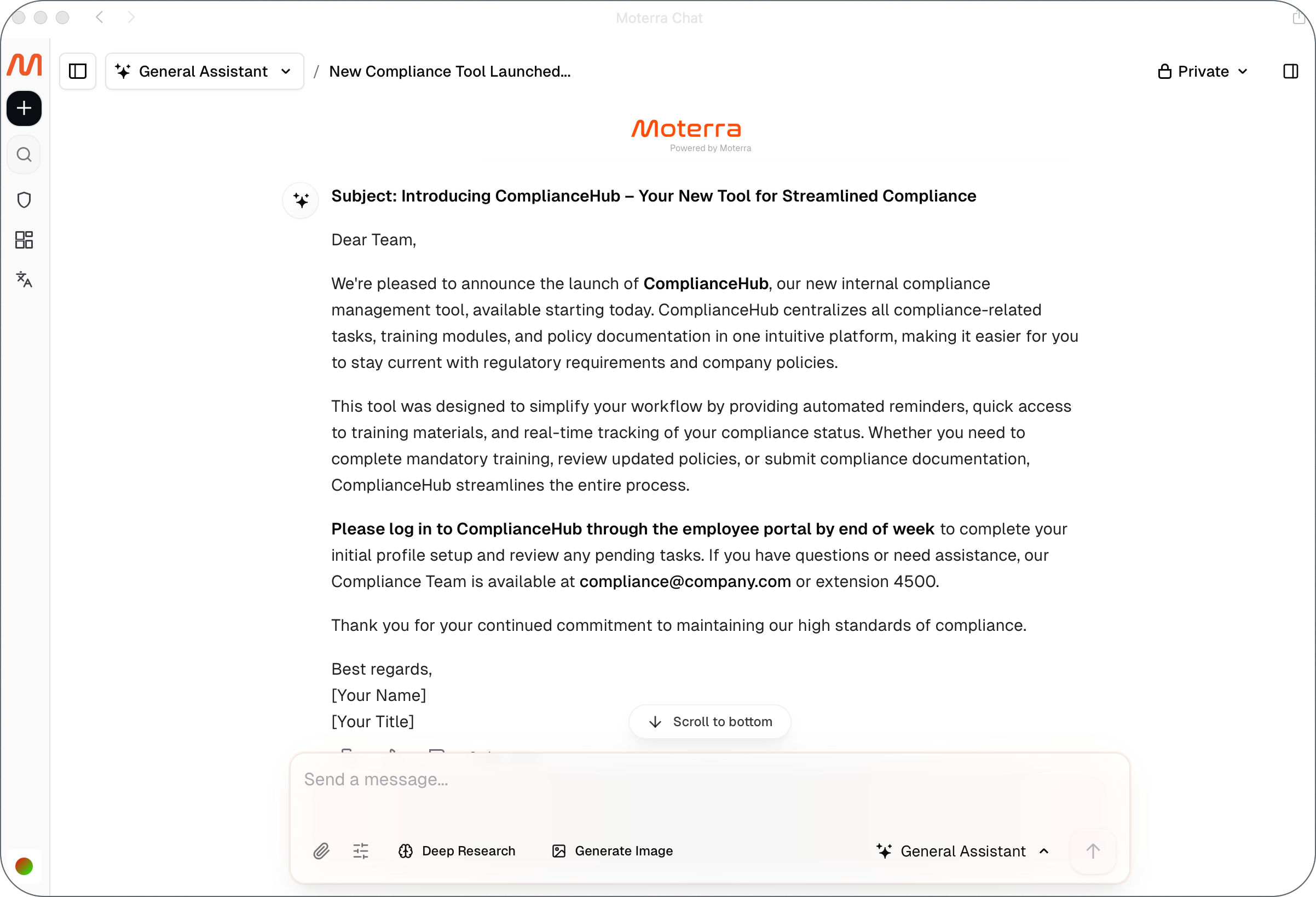
Example Task 1: Creating Content with the General Assistant
Use this example to see how a clear, well-structured request produces better output.
Example request:
Write a professional email announcing the launch of a new internal compliance tool.
The audience is company employees.
Keep the tone clear and professional, and limit the email to 2–3 short paragraphs.
Include a short call to action encouraging employees to start using the tool.
What happens next:
The assistant generates a structured, ready-to-use email.
The content can be reviewed, copied, or exported as needed.
Example Task 2: Finding Company Information with the Internal Knowledge Assistant
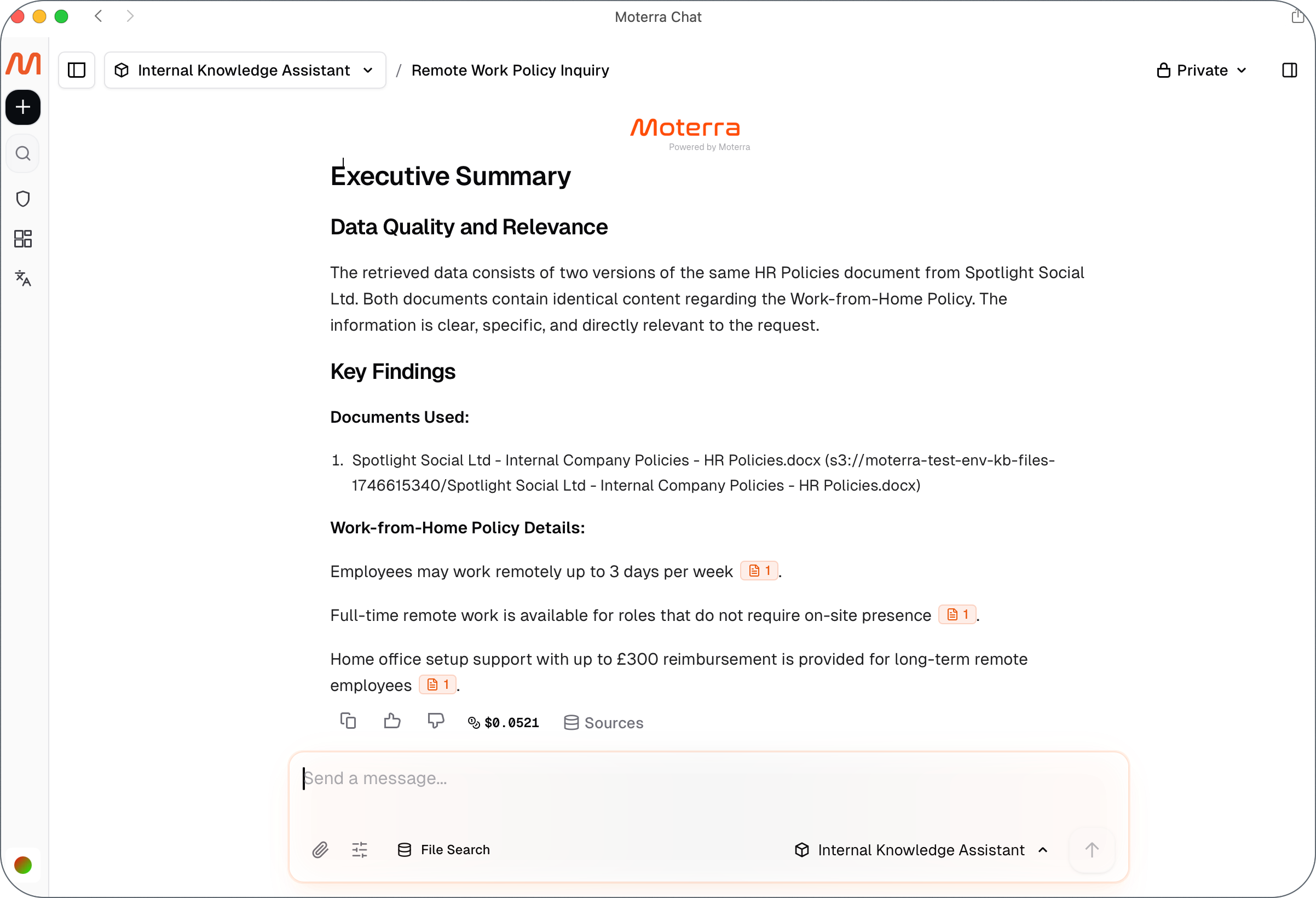
Use this example to retrieve information from your company’s documents.
Example request:
What is our remote work policy?
What happens next:
The assistant searches your company’s internal documents.
The answer includes references to the source document.
You can request additional details or specific sections if needed.
Step 3: Review and Improve the Result
After receiving a response, you can:
Ask for more detail or clarification
Request a shorter or more structured version
Adjust the focus of the result if needed
Continue refining until the output meets your requirements.
💡Pro Tip: Start a New Chat for a New Task
When switching to a different task or topic, start a new chat. This improves response quality and performance.
What to Read Next
Was this helpful?
Still need help? Ask the team