Best Practices for Internal Knowledge Queries
The Internal Knowledge Assistant provides the most accurate results when queries are clear, focused, and well scoped. This article outlines best practices that help you find reliable answers in your company’s documents and use them effectively.
Written By Kristė Vagnerytė
Last updated 9 months ago
Choose the Right Assistant First
Before starting, confirm that your task requires internal company documents.
Use the Internal Knowledge Assistant when:
You need information from company policies, procedures, or contracts
Accuracy and traceability are required
You want answers supported by citations
For external research or content creation, switch to the General Assistant instead.
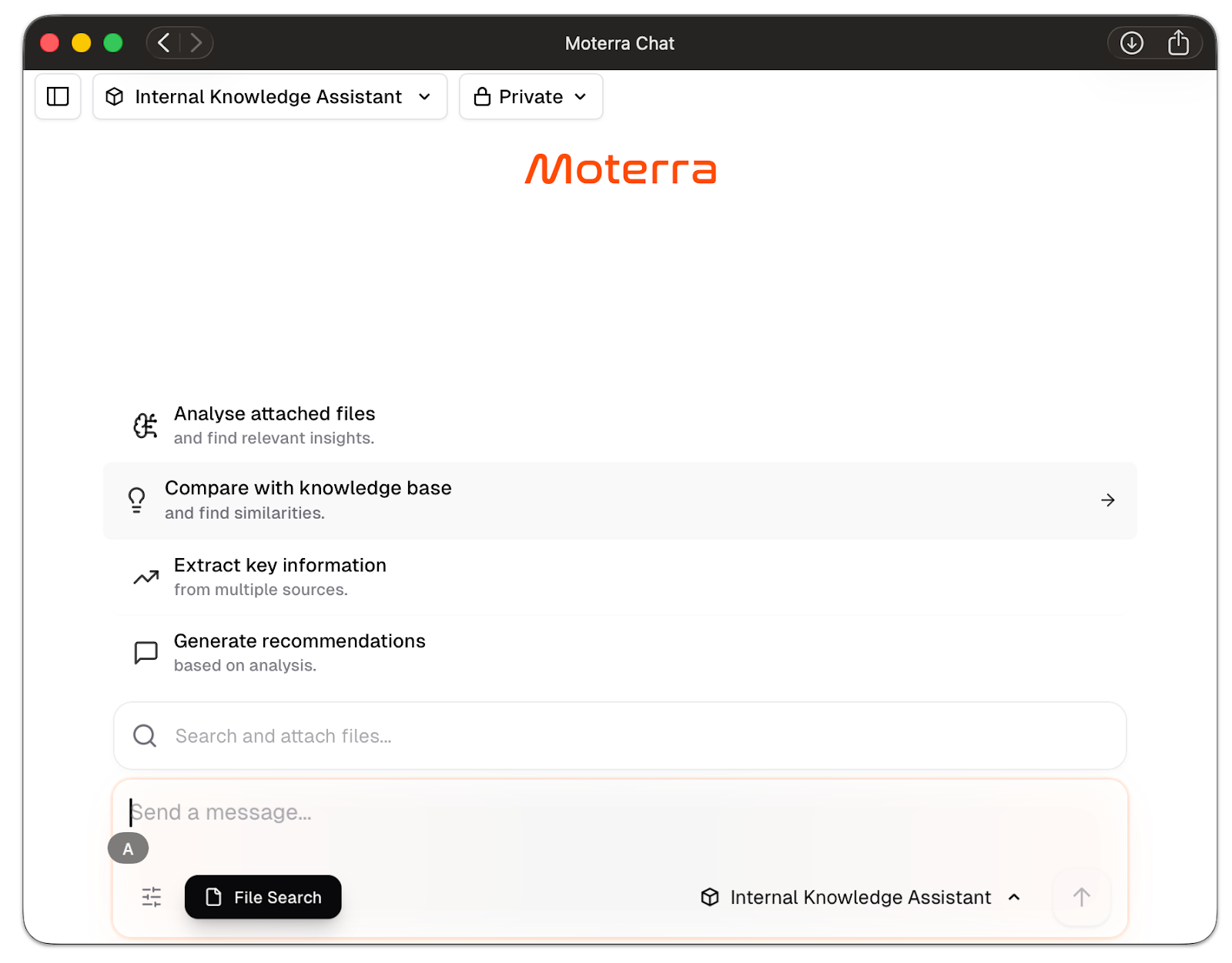
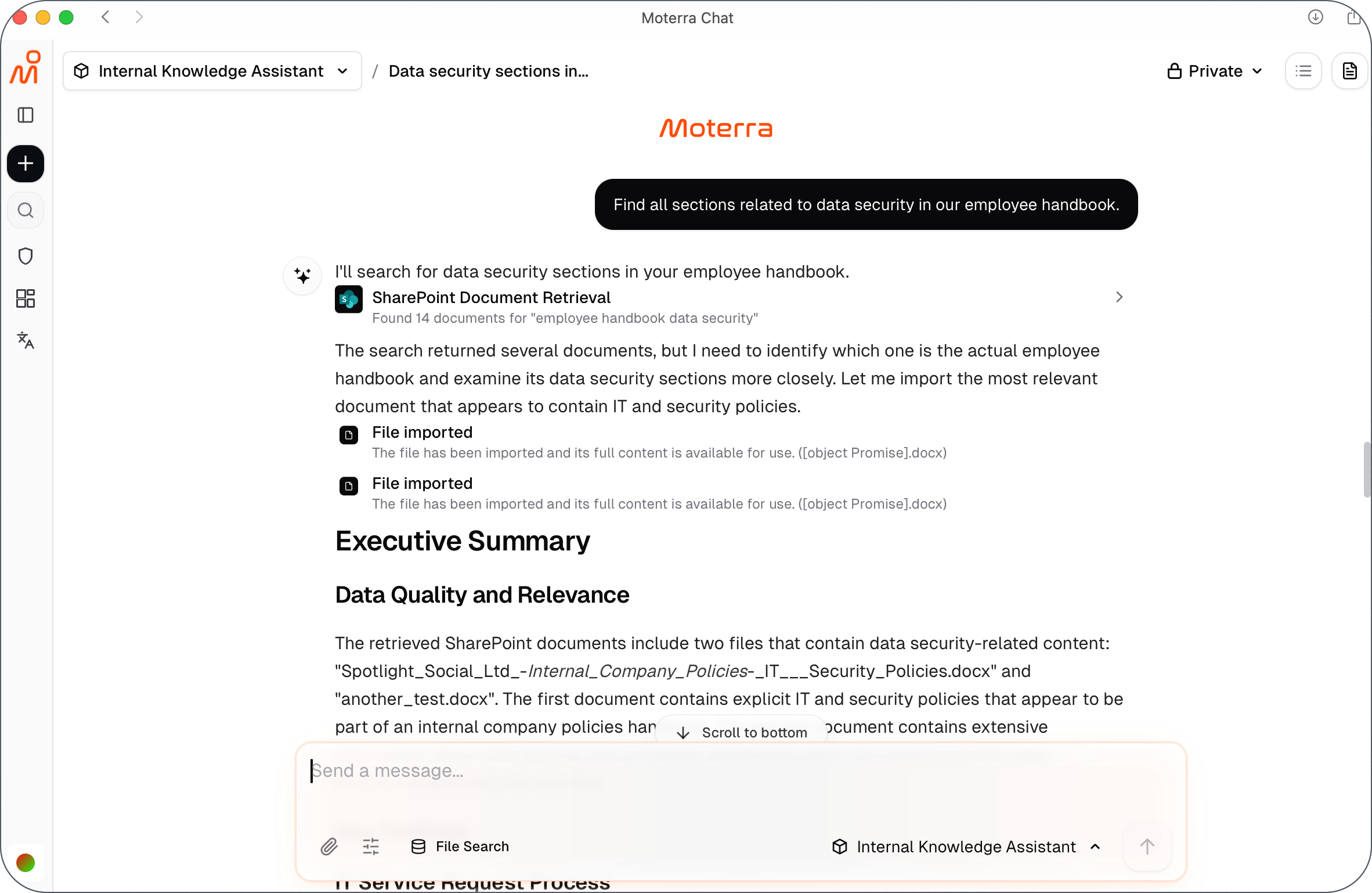
Be Specific About What You’re Looking For
Clear questions lead to better results.
Instead of asking broad questions, specify:
The topic or term
The type of document (policy, contract, handbook)
The information you want (summary, clause, requirements)
Example:
Find all sections related to data security in our employee handbook.
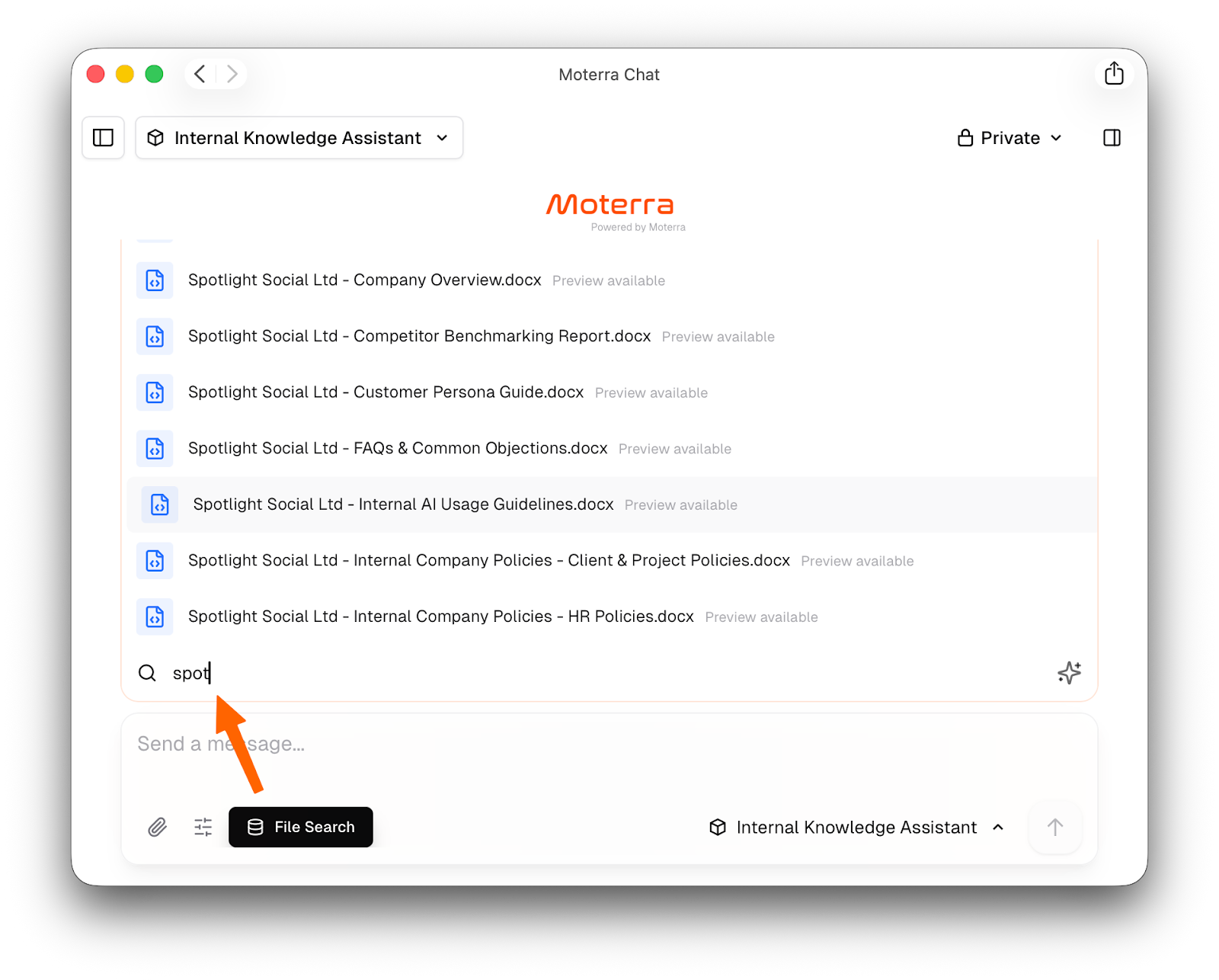
Use Search File When Precision Matters
When working with many documents, use the Search File option to:
Select specific internal documents
Limit results to relevant files
Avoid unrelated or outdated information
This is especially useful for large knowledge bases or similar documents.
Ask Explicitly for Exact Wording When Needed
By default, the assistant summarizes relevant information.
If you need exact text, ask for it directly.
Examples:
“Show the full paragraph related to termination.”
“Provide the exact clause text.”
This helps ensure you receive the level of detail required.
Focus on One Task per Query
Avoid combining multiple questions or goals in one request.
Best practice:
Ask one question at a time
Start a new query for a different topic
This improves clarity and accuracy.
Verify Important Information Using Citations
Always review citations when answers are critical.
Use citations to:
Check which document was used
Open a preview of the source file
Review the information in its original context
This helps ensure confidence in the results.
Combine Assistants When Appropriate
Some tasks benefit from using both assistants:
Use the Internal Knowledge Assistant to retrieve or summarize internal documents
Switch to the General Assistant to research external standards or best practices
Compare the results to identify gaps or improvements
This approach combines internal accuracy with external context.
Common Mistakes to Avoid
Asking vague or overly broad questions
Forgetting to specify when exact wording is required
Mixing internal and external tasks in one query
Assuming access to documents you are not permitted to view
Avoiding these issues leads to more reliable results.
What to Read Next
Was this helpful?
Still need help? Ask the team