Tools, Permissions, and Knowledge Access
This article explains how tools, permissions, and knowledge access affect how a custom agent behaves in Moterra. Choosing the right configuration helps keep custom agents reliable, safe, and focused on their intended task.
Written By Kristė Vagnerytė
Last updated 6 months ago
What Tools Control
Tools define what a custom agent is allowed to do.
Only enable the tools that are necessary for the agent’s purpose. Fewer tools usually lead to more predictable results.
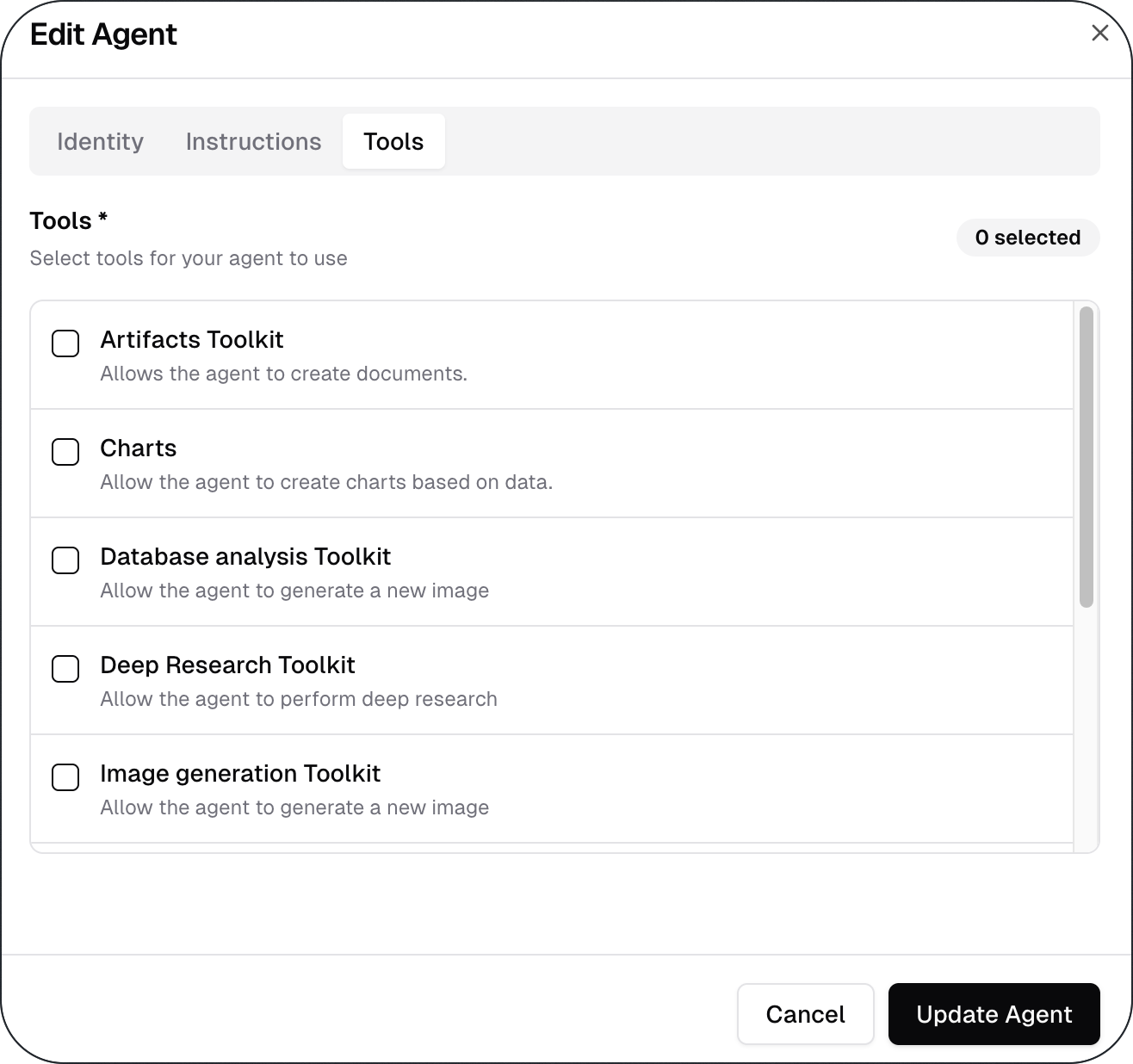
Custom agents can use the following tools:
Artifacts Toolkit – Create, edit, and manage structured documents directly within your workspace. Whether you're drafting reports, building templates, or organising content, this toolkit gives you full control over document formatting and structure. Changes are tracked and editable at any time, making it easy to collaborate and iterate.
Charts – Turn raw data into clear, visual charts and graphs with just a few inputs. Supports a variety of chart types - including bar, line, pie, and scatter - so you can choose the format that best communicates your data. Ideal for presentations, reports, or any situation where a visual summary is more effective than a table of numbers.
Database Analysis Toolkit – Upload Excel or CSV files and run queries to surface the insights that matter most. This toolkit allows you to explore, filter, and analyze structured data without needing to leave your workflow. Whether you're investigating trends or pulling specific records, it provides a fast and reliable way to work with your data.
Deep Research Toolkit – Go beyond surface-level answers with in-depth research powered by external sources. This toolkit is designed for complex questions that require gathering, cross-referencing, and synthesising information from multiple places. Use it when you need thorough, well-rounded responses rather than a quick lookup.
Image Generation Toolkit – Generate custom images from text descriptions or creative prompts in seconds. Whether you need illustrations, concept visuals, or placeholder graphics, this toolkit produces high-quality results tailored to your input. Simply describe what you have in mind and refine the output until it matches your vision.
Knowledge Base Toolkit – Build an internal knowledge base by connecting it to a specific SharePoint site or uploading documents manually. Once the knowledge base is set up, you can configure your agent to work exclusively with that knowledge base - ensuring it only surfaces relevant, trusted content from your organisation's documented resources.
Translation Toolkit – Translate text, documents, or specific passages between a wide range of languages quickly and accurately. This toolkit is useful for teams working across regions, communicating with international partners, or localising content for different audiences. Translations maintain context and tone, going beyond word-for-word substitution.
Weather Toolkit – Get up-to-date weather conditions and forecasts for any location around the world. This toolkit provides current temperature, precipitation, wind, and extended outlooks - useful for planning, logistics, or any context where weather plays a role.
Web Search / Scrape Toolkit – Search the web and retrieve current, real-world information from online sources. This toolkit is ideal for staying up to date on news, market developments, competitor activity, or any topic that requires fresh data beyond a static knowledge base.
How Permissions Affect Agent Behaviour
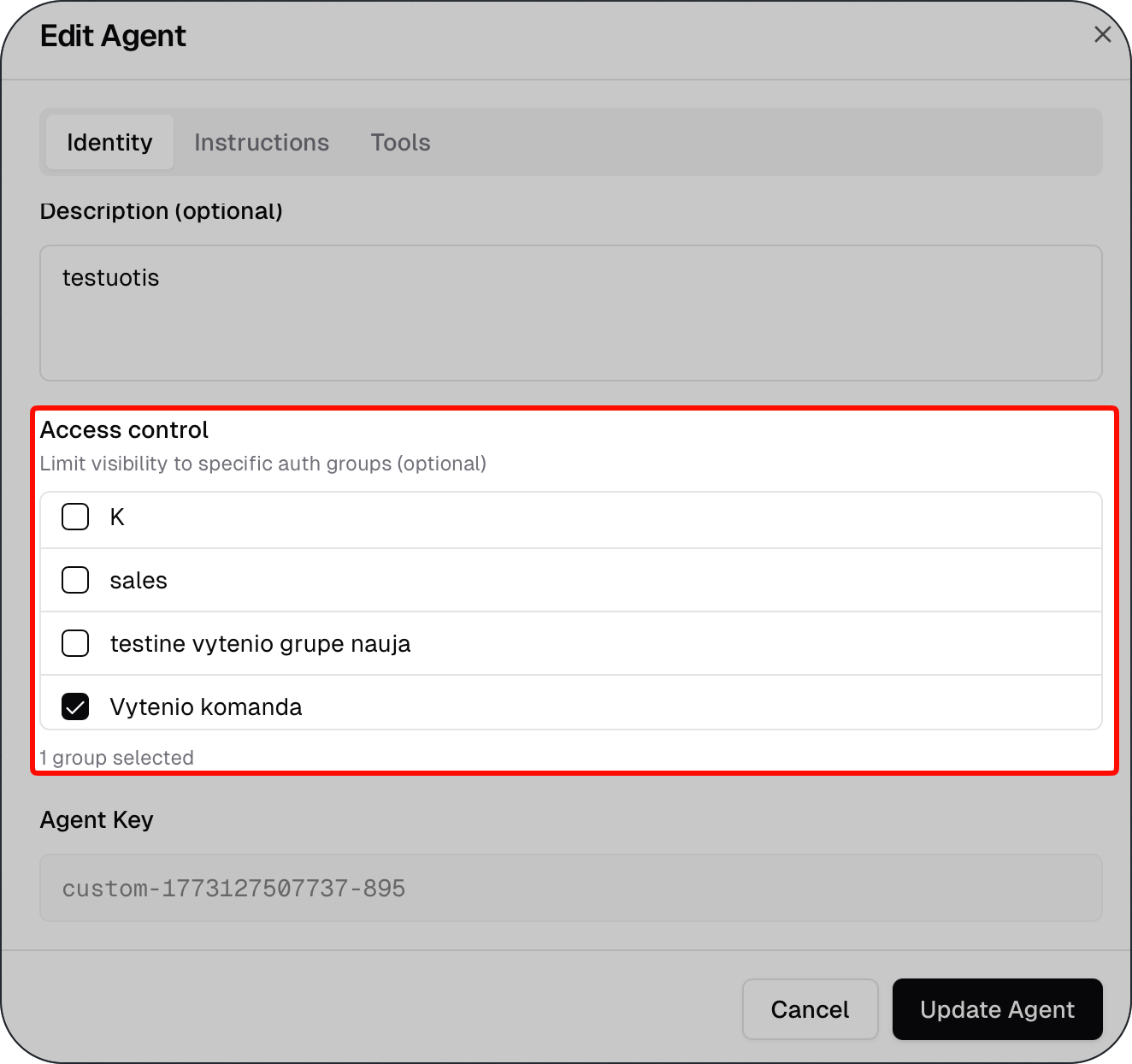
Permissions control who can see and use a custom agent.
You can use permissions to:
Limit access to specific users or groups
Prevent sensitive agents from being used broadly
Ensure agents are used only in the right context
Well-defined permissions help reduce misuse and confusion.
How Custom Agents Use Knowledge
Custom agents can retrieve information from a connected Knowledge Base.
A Knowledge Base can contain documents that are:
Uploaded manually
Synchronized from a SharePoint folder
Each agent can be connected to a specific Knowledge Base, allowing different agents to use different document sources.
Best Practices for Configuration
Follow these best practices when configuring tools and permissions:
Enable only the tools the agent needs
Keep permissions as limited as possible
Align tools with the agent’s scope
Review configurations when agent behaviour changes
What to Read Next
Was this helpful?
Still need help? Ask the team