Configure AI
The Configure AI tab lets administrators influence how assistants behave globally and how users are guided in chats.
Written By Kristė Vagnerytė
Last updated 8 months ago
What this section is used for
This section is used to:
Control the overall tone and behaviour of assistants
Set clear rules that apply across all chats
Guide users with suggested prompts and examples
Reduce incorrect or unsupported usage
These settings apply platform-wide and affect all users.
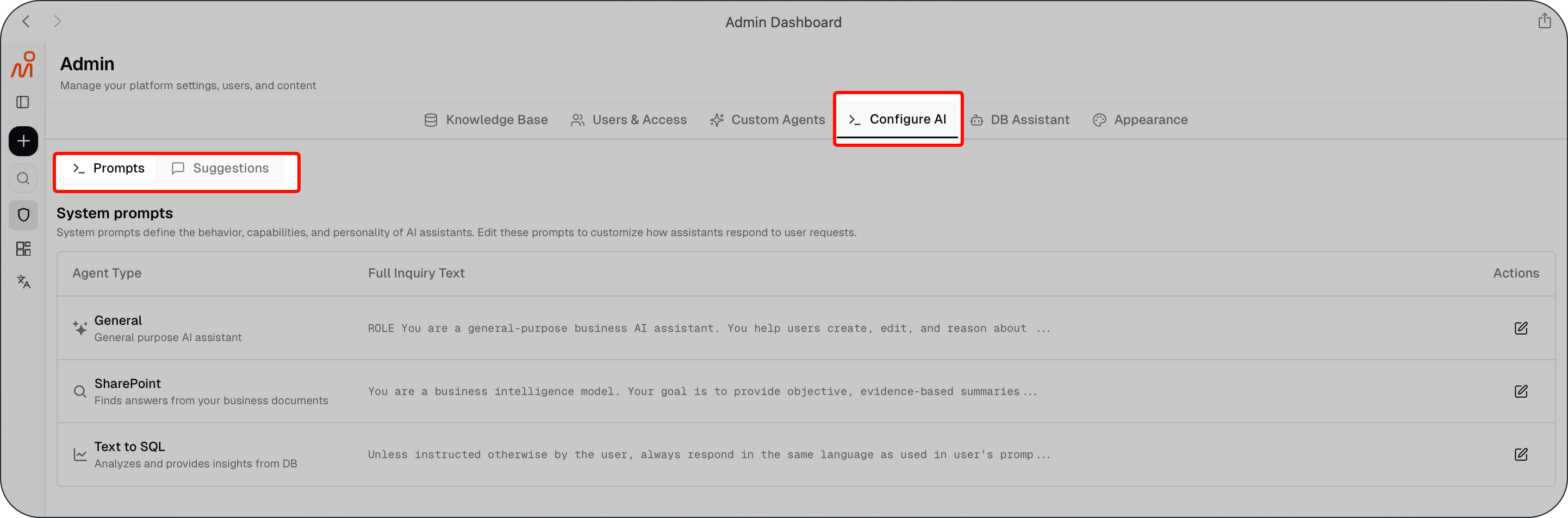
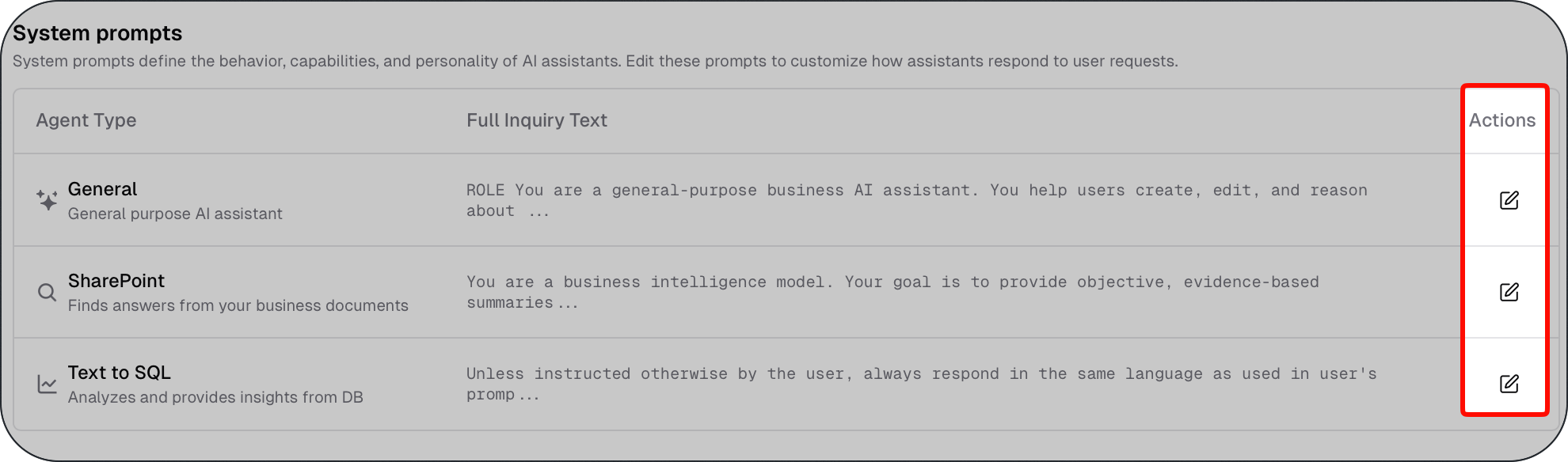
System prompts
System prompts define global rules for how assistants should behave.
They are used to control:
Response tone and style
How assistants handle uncertainty or missing information
What assistants should avoid or prioritise
System prompts apply to all users and should be changed carefully.
Chat suggestions
Chat suggestions are predefined prompts or starting points shown to users in the chat interface.
They are used to:
Help users ask better questions
Highlight supported use cases
Provide quick entry points for common tasks
Chat suggestions guide users without restricting what they can ask.

A few examples of chat suggestions
General Assistant – Chat suggestions
Summarise the key points from this article
Create a short presentation outline on this topic
Research current trends related to this topic
Internal Knowledge Assistant – Chat suggestions
Check whether this client agreement follows our standard contract template
Find sections in our policy that relate to this client's requirement
Compare our contract with the client’s contract and highlight the differences
Database Assistant – Chat suggestions
Show total sales by month
List the top 10 customers by revenue
Compare this quarter’s results with last quarter's
How system prompts and chat suggestions work together
A recommended approach is to:
Use chat suggestions to guide everyday usage
Use system prompts only for broad, stable behaviour rules
This keeps the assistant flexible while maintaining consistency.
Best practices
To keep assistant behaviour clear and predictable:
Avoid frequent changes to system prompts
Keep system prompts high-level and easy to understand
Small, deliberate changes are easier to manage over time
What to read next
Was this helpful?
Still need help? Ask the team